
MT4 Add Fibonacci Line Indicator Tutorial, Daocheng Forex Sharing
Usually, the line drawing tool can be found in the toolbar above the MT4 software. If you don't see it, you can click [Show] ➡ [Toolbar] ➡ [Line Drawing] in the top menu to enable it. Through DaochengForex PlatformWith the MT4 version available, users can easily access these features.

Fibonacci Line Drawing - Illustration
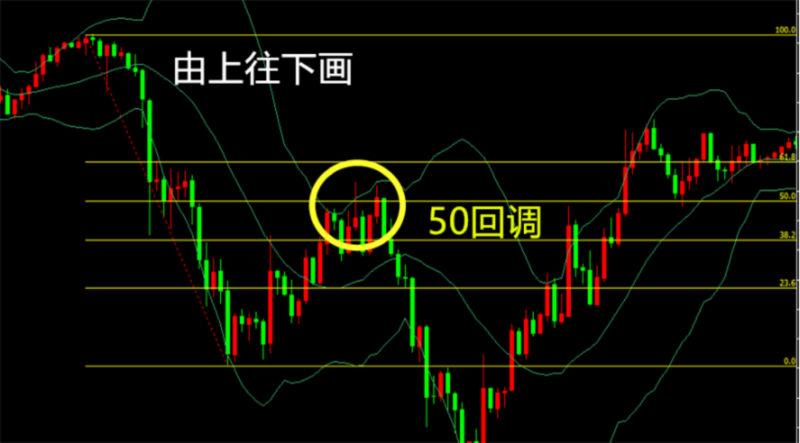
Downtrend diagram 1
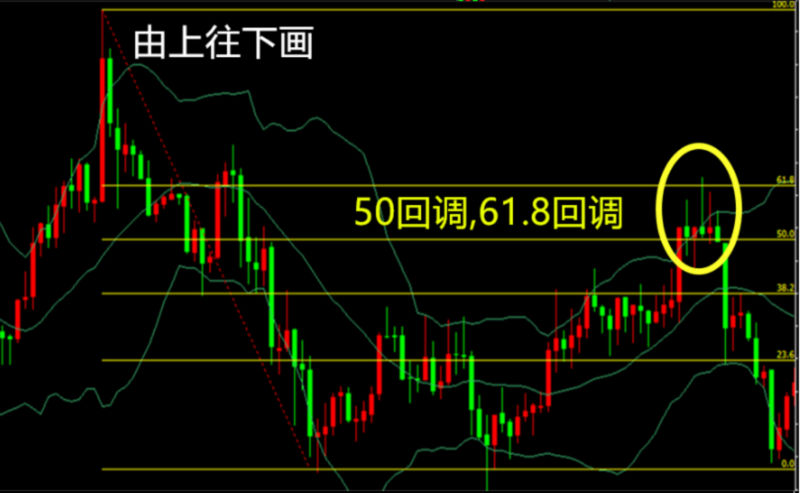
Downtrend diagram 2
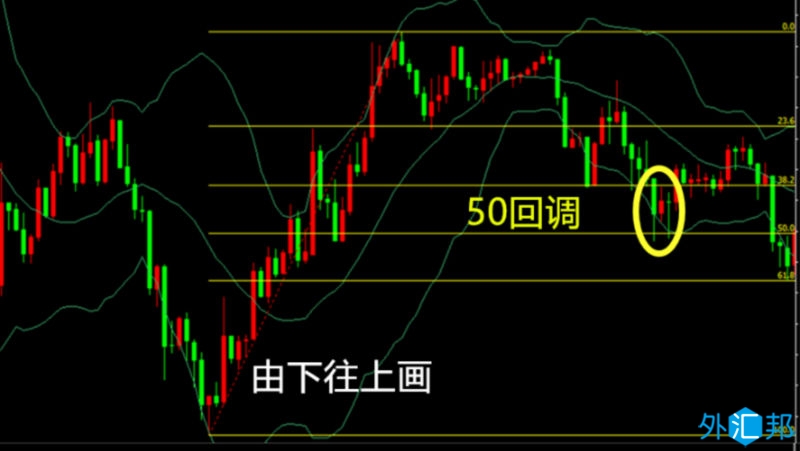
Uptrend diagram 1
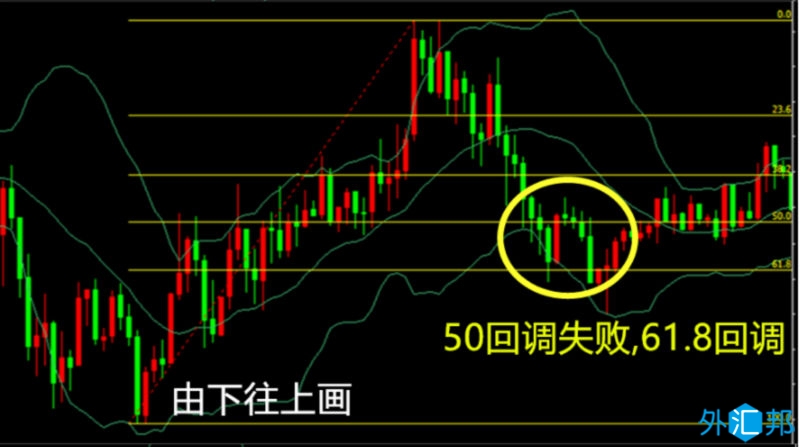
Uptrend diagram 2
Please indicate the source: https://www.daoctech.com/fxoutrade/2433.html
Disclaimer: The content of this article does not represent the views of the Institute of Foreign Exchange. The content is for reference only and does not constitute investment advice. Investors operate accordingly at their own risk.